PDFs
Statements, invoices, agreements, notices, and supporting schedules
Read the relevant page, pull the accounting facts, and keep the page connected to the workpaper.
Files and workpapers
Give Memwa the PDFs, images, spreadsheets, CSVs, documents, and prior work. It checks the numbers and prepares or updates the spreadsheet, workpaper, analysis, memo, document, or client request the job needs.
Files and workpapers
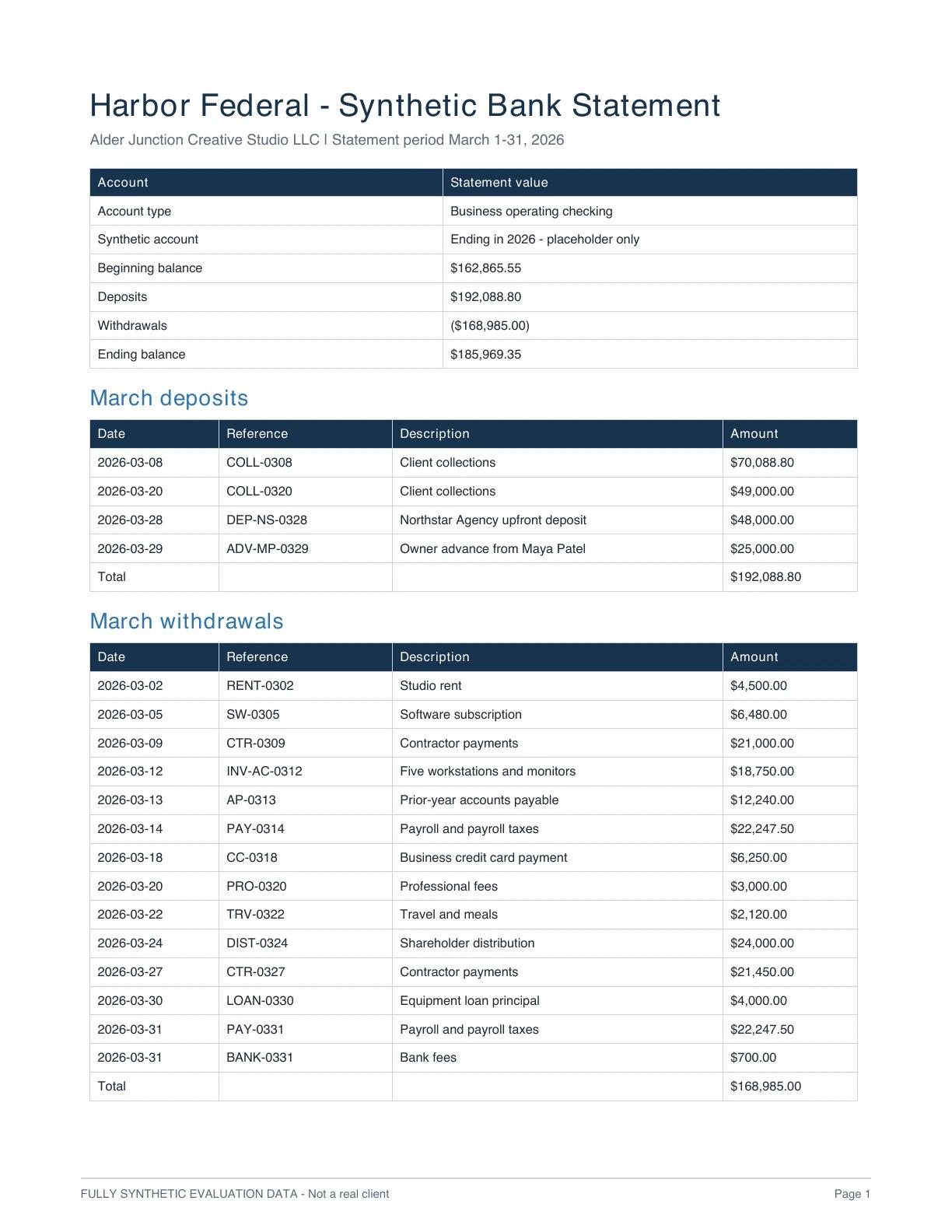
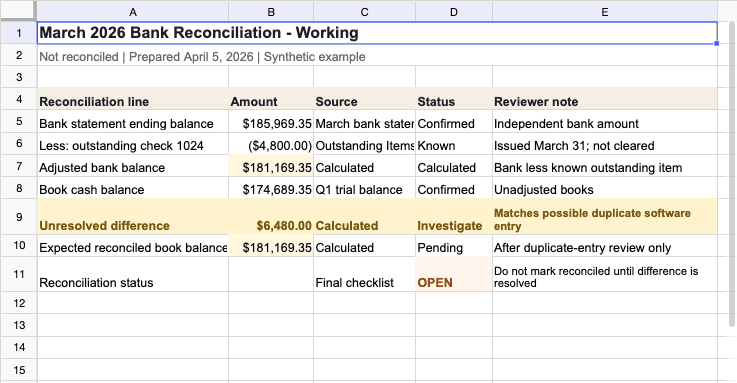
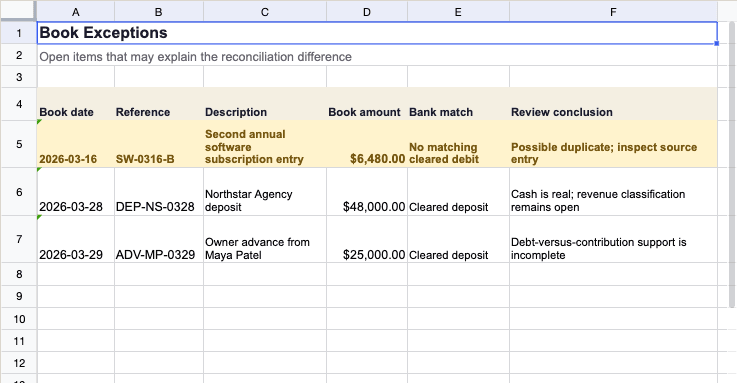
A March bank statement beside the Q1 cash reconciliation and the Book Exceptions sheet it supports.
Client files and prior work
Memwa reads across common accounting file types, follows the details back to their source, and uses prior work to pick up where the team left off.
Statements, invoices, agreements, notices, and supporting schedules
Read the relevant page, pull the accounting facts, and keep the page connected to the workpaper.
Receipts, checks, statements, and photographed records
Open the image in the viewer, read the visible details, compare them with the job, and flag anything that needs a clearer copy.
Workbooks, sheets, ranges, formulas, values, and prior schedules
Check the numbers and formulas, update the workbook, and show proposed cell changes for review.
General ledgers, transaction exports, and account-level detail
Organize the rows, check totals and exceptions, and use the data in the analysis or workpaper.
Memos, agreements, policies, letters, and client correspondence
Read the relevant terms and prepare or update the memo, document, or client request the job needs.
Last period's workpapers, review notes, requests, and open items
Use the prior work to carry the rollforward, recurring issues, and unfinished questions into the current job.
The original file stays easy to find while the resulting numbers, notes, and proposed changes move into the workpaper. Any file type can be uploaded, a failed upload retries on its own, and the file pane selects in bulk.
Clients can send files in directly: invite a client to a secure portal, and the documents they upload land in that client's Files.
Accounting deliverables
The work itself is built or updated and connected to the client files, with proposed changes and unresolved items kept clear.
01
Checks reported figures and keeps proposed adjustments visible.
02
Ties amounts to the client files, calculations, and open questions.
03
Organizes the numbers, exceptions, trends, and supporting documents for review.
04
Shows the current and proposed values before the team accepts or revises them.
05
Brings the conclusion, source, assumptions, and unresolved facts together.
06
Turns missing support and open items into an editable request for the team to send.
Each result keeps the supporting files, calculations, proposed edits, and open questions close enough for the next reviewer to continue the work.
Memory
Prior work, recurring issues, open requests, decisions, preferences, and recent activity are remembered when the client returns.